At Thingtesting, everything we recommend is independently reviewed. We may earn a commission on purchases made through our links.
I Got This Thing Online
I’m No Longer the Mom Who Schedules Everything, Thanks to This Smart Calendar
Val Quinn is Director of Product Support at ShopMy and lives in Minneapolis. Here, she tells us about how the Skylight calendar took over as her family scheduler.
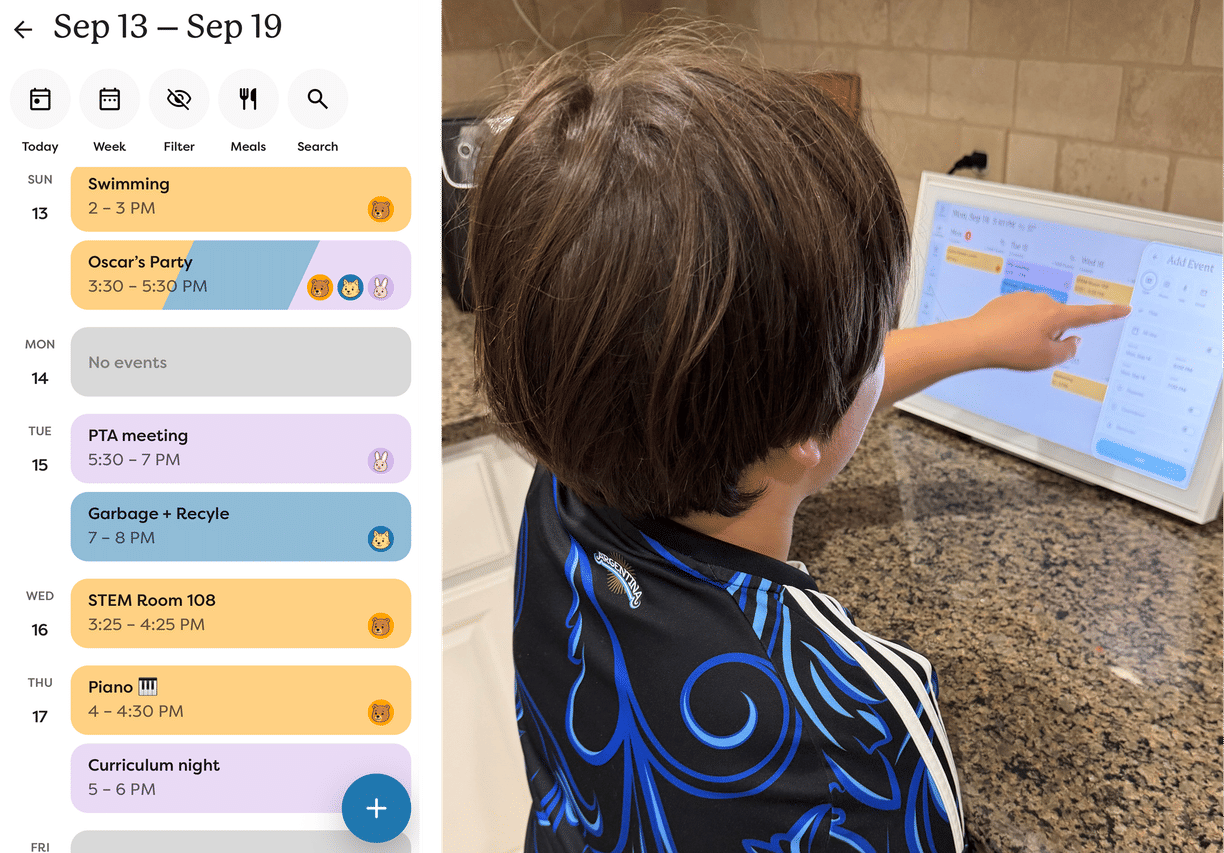
The Skylight calendar in Val Quinn's kitchen. (Image: Val Quinn)
by Val Quinn
As told to Sarah Drumm
I Got This Thing Online is our community column where Thingtesters share their latest online finds, and whether or not they’re worth adding to cart. (All reviews are unsponsored and unpaid — read our community values.)
Every Sunday night, I used to spend an hour and a half on my couch with my phone in one hand and a pencil in the other, scrolling through texts, school emails, and my own memory to figure out the family schedule for the next week.
If you’ve got a kid in elementary school, a partner with their own packed schedule, and a job where you’re the one everyone reports to, you know how exhausting the extra mental load of managing the family calendar can feel. Nobody hands you a logistics manual for parenting an eight-year-old either — I had no idea I was signing up to manage piano lessons, birthday parties and softball games, all while figuring out where I could possibly carve out an hour for my own 7 a.m. hot yoga classes. Sometimes being the family scheduler can feel like a second, unpaid job.
So I got the Skylight smart calendar, and I quit.
What It Actually Is
The Skylight calendar is a wall-mounted (or countertop, in our case) touchscreen that syncs with everyone’s individual calendars — Google, school calendars, whatever you’re already using — and pulls it all into one shared view. Everyone in our house is color-coded: my son’s schedule shows up in yellow, and family events have their own color too. You can add events manually, but the real magic is in the automation. School PDFs with the semester’s early dismissal days used to be another annoying task of copying dates from one document to another — now I just take a screenshot and pass it to the Skylight to plug the data in.
There’s also a chores feature built in, where kids can check off tasks like brushing their teeth or doing laundry to earn points. We’ve kept it low-key, but I know families who gamify it further and offer their children cash rewards. Whatever it takes to get things done!
It also has reminders with sound alerts, which have been genuinely useful for getting my son out the door. The school bus comes at 8:20 sharp, and Skylight gives us all a warning when that’s coming up.
Why I Bought It
I hesitated before buying a $299 calendar. It’s a lot more tech-enabled than my previous method of writing things on a paper wall calendar, but there are still plenty of other free alternatives. Lots of families use a shared Google Calendar, but I’m in Google all day for work and the last thing I want is to open it up again on a Sunday night. More importantly, a shared Google Calendar didn’t solve the problem I actually have. My son doesn’t have a phone, so he has no way to check his schedule by himself.
The Skylight fixed that. He’s eight, he can read, and now he can just walk downstairs, glance at the screen, and know what his day looks like and what’s coming up. He’s started using it to manage his own social life, too. If a friend asks him to come over and he’s already got something on, he’ll check the calendar and say, “I can’t, it says I’m going to the state fair with my family.”
My Skylight is right next to my coffee machine, and at 7 a.m. when I’m making it, my son will emerge and we can look at the schedule together. It’s important for kids to build their own independence, and the schedule is part of that. I like that he knows what’s happening in his day and he can speak on it. He looks at the calendar every day, and he’ll see if he has piano coming up on Thursday, and he’ll take the initiative to go practice.
What’s Changed
I’ve reclaimed that hour and a half every Sunday, plus the scattered 15-minute panics that would often happen during the week when I’d catch myself mid-conversation realizing that I was about to double-book us.
But what’s even better is that I’m no longer the sole keeper of the family schedule. My son has even caught me off guard reminding me about swimming lessons I’d totally forgotten about. How did he know that? “I looked at the calendar.” If a friend asks if they can come over Saturday, I don’t have to check with my husband, I can just pull up the calendar, see if one of us is free, and just say yes.
It sounds small but, as a family, when you no longer have to spend time asking each other “wait, what are we doing today?”, you get so much back in time and mental space. We used to have problems where my husband and I would book things without checking in with each other, only to realize later there was a clash. Once that meant pitting his $300 football ticket against my $20 yoga class — and you can guess which got canceled. Now, that doesn’t happen. It’s already on our color-coded calendar.